Using COLMAP via OnDemand
COLMAP is general-purpose Structure-from-Motion (SfM) and Multi-View Stereo (MVS) pipeline with several features for the reconstruction of ordered and unordered image collections. Using COLMAP on Apocrita via OnDemand allows you to run a GUI interface. Please refer to the overview section for instructions on how to login to OnDemand.
Starting a COLMAP session
Select COLMAP (GPU) from the GUIs list of the Interactive Apps drop-down menu, or from the My Interactive Sessions page. Before using COLMAP, researchers need to request access to the GPU nodes, or have access to the DERI/Andrena GPU nodes.
Once you have chosen the resources your job will need, including the version of COLMAP required, click the Launch to queue the job. Once resources are allocated, click the blue Launch COLMAP (GPU) button to connect to your session.
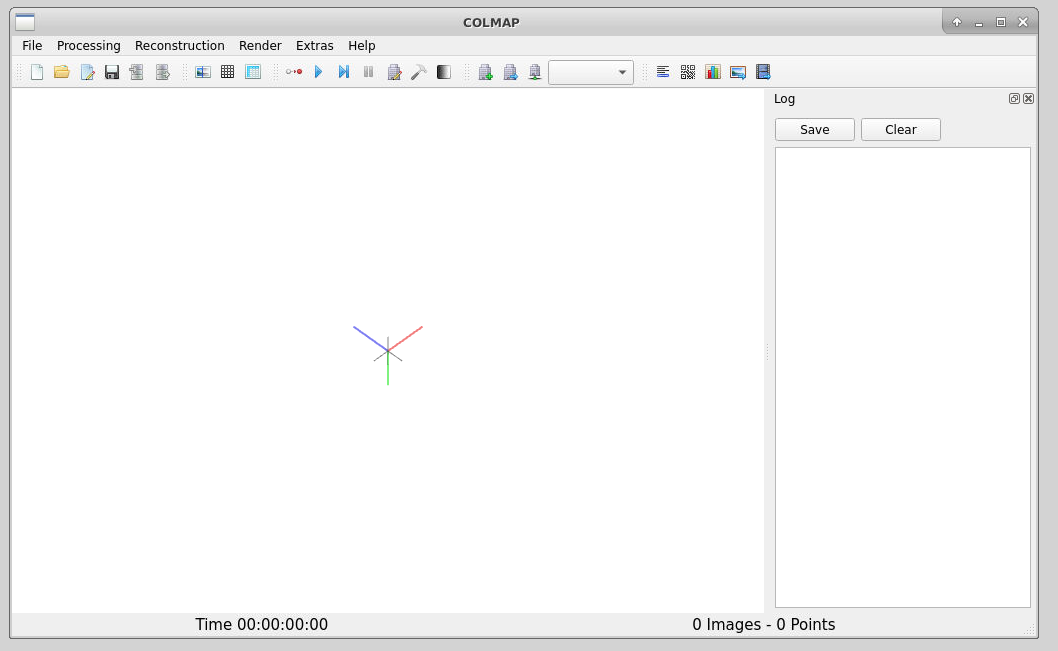
Once connected, the familiar COLMAP interface is presented, and you will be able to use the allocated resources, and access your research data located on Apocrita.
CPU and GPU utilisation
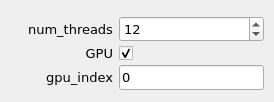
To ensure your job uses the requested cores and GPU during reconstruction,
set the num_threads box to match the number of cores listed at the top of your
session , and the gpu_index to 0, as shown below. Failure to add these
parameters will result in your job only using one core, significantly increasing
the execution time for your job.

Exiting the session
If a session exceeds the requested running time, it will be killed. You can finish your session using one of the following methods:
- clicking [x] in the upper right corner of the COLMAP application
- clicking the red Delete button for the relevant session on the My Interactive Sessions page.
After a session ends, the resources will be returned to the cluster queues.