SRM nodes
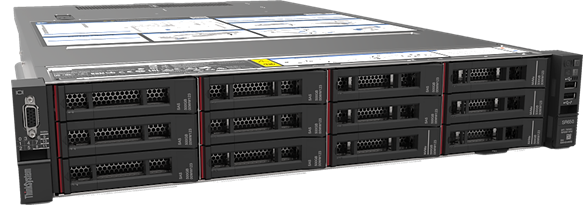
We have 2 Lenovo ThinkSystem SR650 nodes and 1 Lenovo ThinkSystem SR350 node for high memory jobs. You must only use these nodes for jobs requiring more than 128GB RAM.
Accessing the high memory nodes
These nodes have been restricted to only allow jobs which request the
"highmem" partition with --partition=highmem or -p highmem.
| SRM1-2 | Lenovo ThinkSystem SR650 |
|---|---|
| Count | 2 |
| Processor | 2 x 18 Core Intel Xeon Gold 6150 (Skylake) |
| Cores/Node | 36 |
| RAM | 768GB |
| Accessible RAM | ~741GB |
| NVME storage | 1.6TB |
| TMP Size | 18TB |
| Interconnect | 25Gb Ethernet |
| SRM3 | Lenovo ThinkSystem SR350 |
|---|---|
| Count | 1 |
| Processor | 2 x 24 Core Intel Xeon Platinum 8268 (Skylake) |
| Cores/Node | 48 |
| RAM | 1.5TB |
| Accessible RAM | ~1.45TB |
| TMP Size | ~7TB |
| Interconnect | 25Gb Ethernet |
Notes
- srm nodes have a large local temporary folder space. Using
tmpdir rather than central storage can result in
considerable performance improvements. Additionally there is a smaller 1.6TB
partition
/faston srm1 and srm2, which uses NVME devices, and should give around double the performance of local SSD storage. However, unlike tmpdir, it will not clean itself and you will need to ensure your files are cleaned up at the end of the job.